Showing posts with label free. Show all posts

Sunday, September 22, 2013

iOS app: Missing Link

Missing Link App
Missing Link on iTunes (free)

What it is: A puzzle where 3 words are presented with missing letters, and solving the puzzle requires filling in the blanks to find these words. The main clue you get is that in all 3 words the same string of letters is missing.

There are 3 difficulty levels: easy, medium and hard. At easy level there's usually 2 letters missing (see Screen Shot 1), 3 at medium level, and at hard level there's shorter words with 3 blanks, so a larger part of the word is obscured.

Screen Shot 1: Easy Level
The layout is clean enough, even with the ads that pop up at the top in the free version. It resembles
an old-style typewriter (with sounds to match) and is obviously directed at adult populations.

How we can use it in Tx: As far as language goals go, even at simple level this is not the easiest game because the target words aren't the most common. As such, I would use this app for the higher functioning language client, stick to the simplest level and provide a lot of cues.

As far as reasoning goals go, the directions are simple (find 2 letters that would complete all 3 words) and yet not automatically familiar (there's not a lot of games/puzzles like this) so you have a chance to work on direction-following, and on recall of directions from one puzzle to the next. In this context, you can work with mod impaired clients as long as they don't have comorbid symbolic dysfunction.

Cuing could involve recognizing letter/sound combinations in English (e.g., if you have a verb like "keel" in screen shot 1, followed by blank-blank-g, familiarity with English should make one think of the "-ing" ending); or cuing could involve clues towards guessing the words themselves (e.g., "what's another word for 'airplane'?"). You can enter letters (even wrong ones) and ask the client whether they recognize each entry as a word. Word-recognition is an important aspect of symbolic dysfunction, although normally I'd choose simpler and shorter words for such a task unless the client was pretty high functioning.

Goals we can target in Tx with this app: Language goals involving reading, word-finding, symbolic dysfunction and intelligibility (see example 3 below); memory/recall goals related to direction following and sequencing, as well as reasoning goals.
Some specific examples:

1. Higher functioning client with language goals, you can solve the puzzle providing cues as needed (start with sound/letter familiarity cues as discussed above, then add word definition hints if needed). Once solved request client form a sentence with each word, followed by one sentence using all 3 (it can be silly, as long as it's grammatically correct).

2. For client with language goal, after solving the 3 words, have them make a list of 3-5 additional words that contain the string of letters missing from the current puzzle.

3. For a client with intelligibility goals, the simple level puzzles in this app provide great practice word lists since they are mostly 2 or more syllables long. So, solve the puzzle for fun, then use the words for intelligibility strategies practice, and to make sentences (silly sentences are really great for intelligibility practice because they lack context and thus have greater dependency on each word being heard and understood).

Saturday, September 14, 2013

Android, Windows and iOS app: 4 Pics 1 Word

4 Pics 1 Word App
4 Pics 1 Word for Windows RT, for Android devices on Google Play, and for iOS devices from iTunes (all are free at this time). Also available for Nook from Barnes and Noble, and for Kindle from Amazon (these cost $0.99, and possibly are from a different developer).

What it is: A simple puzzle that presents 4 pictures that have one word in common, and you have to guess what that word is. See screen shot below where the target word is "sweet".

The gameplay is simple. Just start it and it presents 4 pictures on the screen (beautiful and high resolution), 12 letters, and blanks for each letter of the target word. Figure out what word the 4 pictures have in common and fill in the answer. You can turn off the sound if you want (although it's not annoying, just sound effects for when you select letters) and you can turn off the notifications re "buying" hints and such. As you progress through the puzzle, you win "coins" with each correct answer, and then you can purchase hints with these coins. Players can also buy these "coins" via in-app purchase.

How we can use it in Tx: Solve the puzzles with your client, providing cues as needed. You can talk about each picture of the 4 presented per puzzle, ask questions and elicit replies. In many cases the target word has more than one meaning (e.g., "sign" where it could be a noun or a verb) which provides context for some great language intervention. Solving the puzzles is great, but the path to solving each puzzles provides context for some useful interaction.

The main problem with this app is that you can't go back to puzzles you've solved (unless you remove the app and reinstall it, presumably). The puzzles do get progressively more difficult but very gradually and not by much. It's not optimal but for now you can use it until it's too difficult for your population, then reinstall and start from the beginning. And hopefully down the road, there will be a setting to go back to solved puzzles/restart the progress. On the other hand, it's free so expectations for greater customization are rather low.

Goals we can target in Tx with this app: Language goals that involve word-finding and naming are addressed rather straightforwardly, but there's also good use of repetition and Q/A that can be useful in addressing apraxia and dysarthria goals. Describing and discussing the 4 pictures presents a great opportunity to practice verbal expression. Reasoning is addressed with solving the puzzles, and focus/attention can be addressed as well (presenting 4 different pictures to solve for one word would require some cuing for focus for quite a few of my current clients). A client with lateral neglect may benefit from having to give equal attention to all 4 pictures to solve the puzzle. And you can always address memory goals with recall of pictures.

Some specific examples: Just a couple of examples of the less straightforward uses of the puzzle.

1. Memory goals: after discussing each of the 4 pictures and, hopefully, solving the puzzle, turn off the device and recall the 4 images. Start by cuing with the common word, then provide additional cues as needed.

2. Homographs/homonyms: address the various meanings of the target words as they come up in the puzzle. Since it will be as part of the puzzle-solving activity, and since the differing meanings of the words are in most cases what make the puzzle (e.g., in the screen shot above the actual taste of something vs. a synonym for "cute"), you'll have a great opportunity for this type of activity in  context (rather than a rote list of words as part of a structured task).

Sunday, May 12, 2013

iPad app: Kokako 123 Audio and Visual Training

Kokako 123 App
Kokako 123 Audio and Visual Training app on iTunes (free)

What it is: Described as a game to "help auditory/visual training". This app's description on iTunes specifies that it is not intended to replace therapy, but to go hand in hand with it by providing repetitive practice to enhance skills. It definitely is targeted at children, but manageably so.

The game only does one thing: it gives a series of cards with numbers one at a time (see screen image 1) and asks the user to repeat them by using the keypad to enter each number below its card. One of the best things about it is that the user can choose what order to put the numbers in (same order they were presented from left to right, or backwards from right to left, or random).

Screen Image 1
Settings for this game include choices for how many cards will be presented (from 1 to 8; the example in the screen shots has 4 cards), and for how to present the cards (visually by flipping them over, auditory presentation where you can choose one of two male voices, or both visual and auditory). There is also a setting for how much time to space in ms between cards as they are presented.

Screen Image 2
Once user puts in the sequence and presses "go" feedback re accuracy is presented. As you can see in screen image 2, feedback includes which cards were correct, how long the turn took, and a count of how many turns were correct (screen shot 2 says "0" because not all 4 numbers were correct).

The themes are rather childish (you can choose car, flower or star; I have it set to the least annoying star) and there's a happy or sad star that comes up at the end of each turn. Not overwhelming, but nevertheless, it's there.

How we can use it in Tx: Set the activity to fit your client's needs in terms of how many numbers to remember (start with 3, and increase complexity to 4, 5 or even 6 if you think it's appropriate for your client's level).

Depending on the goals decide if you want the target number list presented orally or visually, and how fast. Maybe you'd like to have the client repeat each number as it is presented? That's a good memory strategy, and if you decide to go that path you may want to put in a longer delay between cards. Then have the client either tell you the sequence to enter or, if they have the dexterity, have them enter the numbers using the keypad.

What's nice is that you can also use this as a memory/mental manipulation activity and ask for the sequence backwards (since you can enter the answer in any order you want). You could also ask for the number sequence to be repeated in ascending or descending order. If you have the capability, you can enter the numbers in their correct spots; otherwise you can just enter the numbers in ascending or descending order and not worry about the game telling you the answer is incorrect--since it will flip the cards over at the end you'll be able to check accuracy that all numbers were recalled.

Goals we can target in Tx with this app: You can customize the settings and activity to target memory, immediate recall, spaced recall, working memory, attention,  and visual & auditory processing to a lesser extent.

Some specific examples:

The memory and attention activities are limited to numbers which is rather rote, so you don't want to spend too much time doing only this activity, but it can be useful for a short task or two.

1. As I mention above, if you want to work on memory and mental manipulation you can ask for the sequence of numbers to be given backwards or in ascending or descending order. If you ask for the numbers in reverse order, you can just enter them in reverse order and let the app tell you how accurate you were. If you do ascending or descending, you can just ignore the app's feedback on accuracy (since the game expects the numbers to be entered in their correct spots, not just be the correct ones) and judge for yourself when the cards are turned over whether all the numbers presented are accounted for. Should be just as effective and simple enough (except for the frowny star that will show up).

2. For spaced retrieval: you would think that you'd be able to use the running timer on the screen during the turn to space out input from output, but in fact this timer doesn't run during the turn--it merely returns the total time it took once the turn is over (and "go" is pressed). So you'll need your own watch/timer to space out this task. But otherwise, it's doable (although frankly, I'm not a fan of doing context-free numbers in this sort of activity).

3. If you are not working on mental manipulation that involves returning the numbers in a specific sequence, you can--like advised in #1 above--just ignore the accuracy of the order of the replies, and focus only on whether the client remembered all the items on the list. Again, you would not use the game's accuracy feedback for this and just keep track of it separately.

4. Brain-training: for the regular (not rehab-patient) population, this game can provide great training for memory and focus. Since you can set the game to provide you with a sequence of up to 8 numbers, with very little delay between them, visual or read, you can really set the task up to challenge anyone's function. You can also make yourself give the numbers back in ascending or descending sequence while getting them in their correct slots. And you can motivate yourself to return the answer faster each time as well.

Sunday, February 24, 2013

iPad app: ScrapPad - Scrapbook for iPad (for sequencing)

ScrapPad App
ScrapPad - Scrapbook for iPad on iTunes (free!)

What it is: A sophisticated easy to use, and fun, scrapbooking application. It provides a variety of backgrounds, borders, embellishments and stickers (organized by themes like holidays, seasons, etc.). You can import images from your album (or take new ones from within the app with your camera), resize, move and rotate them however you want (except cropping--I didn't see that capability in the app; but there's native cropping in iOS already).

The app responds very smoothly to repositioning, rotating and resizing elements. You can work on the canvass with the tools at your ready or in full screen mode taking advantage of more space.

When you've made your creation you can email it, save (I'm assuming each page separately) to your album, share on FB, or send it to the app publishers to print (for a fee of course). They do not include the option to save your creation as PDF or some other format that can be read in iBooks, which is too bad for the scrapbooker, but not a big deal for our uses.

Screen Image 1
How we can use it in Tx: One obvious use for this app is to create family albums, logs, memory books and the like (much like what I wrote about in my review of My Story from 3/3/2012). I won't elaborate on that idea as it's fairly intuitive. My more interesting idea for this app though, is to use it for sequencing.

There's a few apps out there that are dedicated to sequencing tasks, where a user is presented with 3-6 step common tasks, with an image for each step, and asked to put the steps in sequence. I haven't seen any free apps for this, but here's a review from "Speaking of Apps" of a $4.99 app dedicated to sequencing called Making Sequences. It sounds great and the price tag is not too bad for a Tx-dedicated app. But it only comes with 15 sequences.

So here's what I did. I created my own sequence photos. For this review I very quickly made 2 sets of 3-step tasks (one making the bed, another folding laundry). I could have just as easily downloaded clipart. I put both of my tasks together to simulate what the screen would look like with a 6-step task (but if I was using each of these I'd have only the 3 steps of each task on the screen at a time).

I added all 6 photos to my scrapPad canvass, resized them for best fit and rotated them for proper aspect. I switched to full screen mode and basically created a space where the photos can smoothly be moved around as needed (see Screen Image 1). And there you have it: a sequence task. The reason it works so well is that (1) you can use the full screen so there's no dedicated sequencing app out there that can beat the real estate available for the task; and (2) the dragging/placing of the elements (the single photos) is so very smooth. They don't "snap to", but neither do photo cards you would use for this task if you didn't have an electronic version. There's also no music, no grading, no animation. It's just an improvement on the low-tech version in the sense that it's a lot easier to quickly make new sequences, and if you want, you can make them with images from the client's immediate environment.

Screen Image 2
One can make a page for each task, and create a "scrapbook" with as many sequencing tasks as they bother making with no limits. You can size the images to your liking (I wanted to make them as large as possible while still having enough room to move them around). You can also add titles to each page (if you want to add context; I like to ask my pts what the task is before they start sequencing, but some need the context to perform the task).

Just to show the full potential of this app (so well beyond what I'd use it for) here's a scrapbooked (albeit hideously... I'm not much for scrapbooking) version of my 6 pictures on the canvass with the tools open, and the "export" window open so you can see the options it comes with (Screen Image 2).

Goals we can target in Tx with this app: Memory/STM and orientation goals (which I didn't discuss much but they are fairly obvious), focus and direction following, spatial reasoning if you want to do some actual scrap-booking tasks, and the one I suggest it for: sequencing and sorting.

Some specific examples:

1) For sequencing--the main use of this app I recommend--snap some photos of common daily activities, even specific activities of your client if you feel it's appropriate, import them into the app and size them so all steps of the sequenced task can fit, then move to full screen and let the client order the steps. Just as I describe above. There's really no end to the possibilities.

2) For sorting, download or snap photos of elements you can sort (items or animals that vary in size or number, people that vary in age, foods that vary in size or calories, whatever you can think of... just keep it clear) and create a task just like the sequencing one. Save these and over time you'll have a ton of fun sequencing and sorting activities in one place.

3) A fun STM task that allows for use of memory strategies is to create a page for a specific event or season (e.g., for Easter or a birthday). Create it with the pt, discussing the various elements you're putting in there and color decisions, etc.; make all decisions explicit and together. Then find some filler task you can do for 5-10min (whatever you think is appropriate) and return to this task: ask for recall of the creation you made together, and carefully use cues as needed to get as much recall as possible (cues can range from visual to discussing some of the decisions you made together, etc.).

Sunday, January 13, 2013

iPad App: A Memory Game

A Memory Game App
A Memory Game on iTunes (free)

What it is: Basic memory/concentration game where you start with 20 "face down" cards, and picking 2 at a time try to match pairs. When pairs are found, they are removed from the board. It is one of the few memory/concentration game apps I've found that is not targeted at children with cute pictures of animals and such. The images are crisp and clear and definitely favor adults. There's no distractions such as unnecessary animation. Very basic, very clean, and I can't believe it's free!

Screen image 1: playing with flags
You can play the game using flags or symbols. The first is flags of countries where the card shows both the flag and the name of the country (see screen image 1). Symbols are black and white simple images such as pencil, flower, airplane, etc. (see screen image 2); they are all very clear and easy to tell apart, but there is no text or color.

As you play the game keeps track of your tries and how many pairs have been cleared. At the end of a game you're presented with a message that tells you how many moves it took you to clear the board.

How we can use it in Tx: Obviously the way to use it is let your client play this game. I would consider the flags option as the more basic, easier, level. Flag images come with context: the name of the country is provided which gives a player something to hold on to in memory. There's also colors that help visually distinguish each card. The symbols option is definitely more complex as there is no text, and there are no colors. A player would have to name the image and hold on to just that word and location to continue matching.

Screen image 2: playing with symbols
The flag option provides you with plenty of opportunity not only for various cuing levels, but also to practice various memory strategies. As a card is opened the flag and country that is presented can be discussed. What do you know about that country? What continent is it in? Are you familiar with that region? Have you ever been there or wanted to go there? Did you recognize the flag? Do you like the colors of the particular flag? And references can be made to the location of the card itself (e.g., this country is a southern country, and hey, it's at the top of our board... it should have been at the bottom). OK, I'm reaching here, but my point is that this simple set of images presents us with lots of opportunities to model and practice memory strategies.

Goals we can target with this app: Memory (STM and to an extent working memory) obviously; certainly some scanning/visual field neglect. Focus/attention and following directions, as well as categorizing to an extent as part of flag/country discussion.

Some specific examples: I don't know that specific examples are needed in this case: just play the game using flags option, and decide on the level of cuing you want to provide. If you are targeting specific memory strategies (like repeating or visualizing) you can write goals for implementing those strategies while playing this game. And you can use the stats provided at the end if you want to help you measure accuracy and progress.

Brain-training: For the regular (not rehab-patient) population, this game can provide great training for memory. If you want it more challenging, certainly use the symbols option over the flag one. On the other hand, with just 20 cards, this will never get TOO challenging, just fun.

Tuesday, November 27, 2012

iPad/iPhone App: Micromedex Drug Information (Free)

Micromedex Drug Info App
Micromedex Drug Information on iTunes (free)

A database of medications (generic and trade names) that includes information on 4500+ search terms. Once downloaded to your device, you can access the information offline (don't need an internet connection/wifi).

This is a great resource for information we could use, such as precautions, contraindications, common and serious adverse effects, drug interactions and loads more. It's hard to believe this app is free!

I've been using this app as a basic quick check of medications' effect on swallowing function. For example, a dysphagia pt of mine was recently put on an antidepressant that has xerostomia listed as one of its side-effects. I had noticed a slight increase in stasis, and now I have at least one explanation for why, along with a good idea of how to treat it. It's not making me an expert on medications by any means, but this information came in useful for my clinical decision making. Over time, I'm sure I'll just have a basic idea of which class of meds is relevant to my scope of practice... but for now, I can look stuff up quickly and easily on my iPhone.

Sunday, October 28, 2012

iPad/iPhone App: NumberOne Brain

NumberOne Brain app
NumberOne Brain app on iTunes (free)

What it is: A matching game where you are asked to locate a target number on a board tiled with several numbers (5-10 of them, see screen image #1). Very simple, but it gets more and more complex as you play: you have to learn to ignore competing stim to find the number you need.

Screen Image #1
As you can see from the screen image at a maximally simple point in the game (the start), the tiles are spaced so there's only one per column. Visual complexity is increased by adding more tiles to choose from, and/or lining them up to have more than one per column. Also, proximity of visually similar number tiles (to the target number) can add complexity, as can the extent of similarity between the tiles (so instead of maximally different from the target number as in the screen image, you may get 101, 110, 1, 211 and 11). The colors of the tiles may also work to draw your attention away from the correct answer, and at a more difficult level an incorrect tile may compete for your attention by shaking a bit. Possibly there's something in the sound as well, but I never play games like this with sound on. Either way, this is a great way to exercise your focus and quite fun as well.

Screen Image #2
How we can use it in Tx: There are several difficulty options available for this game, and as usual I recommend the simplest: "easy". All game play gets more complicated the better you do during the round though. Also, as usual I recommend playing this without the sound unless you have a pt with very high fxn that could use the extra competing stim.

One thing to keep in mind about this game is that, although a fairly simple concept and pretty fun to play, it is timed and graded, although as of March 2013 the grading can be turned off per new update. A round lasts a certain length, and you lose seconds when making mistakes, and I think gain some if have a good run. Here's an example of the summary that shows up at the end of a round if grading is not turned off (screen image #2). Some of the data is worth having, and may even be useful to us for keeping track of progress. However, the school-like grading of "brain level" is not for use in therapy (the original version of this app I reviewed did not allow grading to be switched off, and that's where the screen image is from). The new version does allow you to avoid this grading, which is a huge bonus for our uses! A great thank you to the developers for this, and their update re the matter on this post!

Goals we can target with this app: Attention, focus, following directions, scanning and visual field neglect goals, and of course memory goals (I suggest a way to focus on memory below). A pt with severe symbolic dysfunction may benefit from number matching as well, but they may need too much time for each match to get any real use out of this game. Worth a try.

Some specific examples: There's not really a lot of things you can vary in playing this game. You can vary the level of cues provided to help pt find matching tiles, and you can focus on specific results and/or progress. So for example:

1. If you're working on scanning and field neglect then accuracy becomes an important goal, and you should consider the number of mistakes per round. However, you should also pay attention to how many of those mistakes were due to competing stim from the dominant side.

2. If you're working on focus/attention, pay closer attention to what kind of competing stim interfered most (was it color, was it motion, was it placement, etc.).

3. Here's an idea for how to work on memory goals: Every time a new target number appears, after the pt has looked at it, pause the game (the screen will turn black, covering up the playing board). Check for immediate recall of the target number. If appropriate, distract the pt with something and then check for delayed recall. Then go back to the board, let the pt find the match, and do the same for the next target number (or skip one or two numbers, then pause for the following one to check recall). If you want to up the difficulty, upon pause ask to recall the current target number and the previous one.

4. Brain-training: for the regular (not rehab-patient) population, this game can provide great training for attention and focus, reflexes, scanning, and to some extent memory. For this population the graded summary may be a great motivator to do better each time you play.

Saturday, August 4, 2012

Free Utility Apps: ICD-9 Codes (several apps)

ICD-9 LITE App
Some free ones from iTunes: ICD-9 LITE, ICD9 Search, ICD9 + HCPCS, and ICD9 Consult 2012. There's a free Android one also: ICD9.

Look up ICD-9 Codes quickly. Look up by categories, search by diagnoses or by codes, etc. If you don't know what ICD-9 codes are for, then you probably don't need these apps. If you do and you use them regularly, you will surely benefit from having them at your fingertips.

There are additional apps like these, and paid versions as well. I've been using the free ICD-9 LITE and ICD9 Consult 2012 for iOS and each has worked pretty well for me so far

Friday, July 20, 2012

iPhone app: Oh, My Word! 2

Oh My Word! 2 App
OhMyWord2 app in iTunes (free)

What it is: Dubbed a prettier and more interesting version of hangman, this is a game where you guess a common 5 letter word based on being given two words that would flank it if listed in alphabetical order. You enter a 5 letter word as your guess, and if it's not the target word, your guess replaces one of the flanking clue words, getting you closer to the target. For example in the screen image below, the target word if listed alphabetically would be between GYROS and OFFER. So the hidden word must start with G, H, I, J, K, L, M, N or O. Put in a few guesses of words starting with these letters, and you narrow it down to a word that in alphabetic order would be between LIMPS and LINKS and must therefore start with LI- (see screen image 2, below).

Screen Image 1
There are several levels at which this game can be played, including a relaxed (called "classic") un-timed easy level where you are given 50 guesses, and the goal is to see how many words you can find within that number of guesses. There's also hints where you can request to be shown one of the letters in the hidden word. After playing this game several times (ok, a whole lot of times... this is a fun game!) I can attest to the fact that the target words indeed are common.

How we can use it in Tx: Access to an un-timed level with truly common words makes this a useful Tx tool. Definitions do not enter into the game. It is more about word recognition and letter sequencing in alphabetic order. Word-finding in the traditional sense normally involves coming up with the word for a specific item, and as such the definition is an integral part. Coming up with words that start with a specific letter (or sequence of letters) is a skill that combines language and reasoning, but still relies on word familiarity and ability to access stored words. For my acute pts with Aphasia I developed a mini word recognition game: I would put two cards with consonants in front of a pt, for example "p" and "g" and then give them cards with all 5 vowels, and ask them to choose the vowels that would form a real word if placed between the the two consonants; so in this example 'e' (peg), 'i' (pig), and 'u' (pug). And I'd ask the pt to also tell me what each word means (often they would choose a vowel that does not make a word, and realize so when they couldn't come up with a definition). It was a multi-step simple word finding activity that first required to recognize the word, then access its meaning. In the same manner for this app, since the words are common, supplemental tasks involving word meanings can be incorporated for those pts who need it.
Screen Image 2

Goals we can target with this app: Word-finding and naming, language, reasoning, sequencing (since alphabetical order plays a large role in this game), question/answer goals (simple y/n where you ask the pt if this letter comes before that one, or if this word precedes or follows the other in the dictionary). For verbal expression deficits reading the words aloud could also be added, incorporating apraxia, dysarthria, voice, intelligibility goals as part of a fun activity.

Some specific examples:

1. For a pt working on using intelligibility strategies at word-level, this game can provide a nice set of short words to practice strategies on. Many of the words have consonant clusters, which provide great practice for exaggerating movements. And since this is a fun thinking activity, it is easier to gauge level of cuing needed to use the intelligibility strategies at word-level (since usually, a word-level task involves a rote list of words and the drill-like manner of the exercise often reminds the pt to use strategies; not that it's a bad thing to have this built-in reminder--in fact it is a great way to get the strategies practiced--but it's nice to have a halfway point where the exercise is still word-level, but the focus is elsewhere and strategy use is less in the forefront of one's mind.

2. For a pt with sequencing goals, this game is a great practice involving alphabetic order. If coming up with words is too difficult for the pt, the ST can focus only on the alphabetic sequence of letters and make word suggestions for the pt to respond. If the two flanking words are GHOST and ICONS, for example, ask the pt what letters come between G and I. If that's too hard, make it a Y/N question: Does K come between G and I? Does H? Then ascertain which letters the target word can start with (in this case G, H, I). Now say you've entered HORSE, and now the flanking words are HORSE and ICONS. What letters can our word start with? (H or I). If it's an H word, what 2nd letter can it be? (O-Z) If it's an I word, what 2nd letter can it be? (A-C). Anyway, you get the picture, just focus on sequences and then suggest the words to guess with.

3. For a pt with higher level language goals, just play the game. Add/reduce cuing as needed to come up with word guesses, and if relevant to pt's goals, ask for definitions of all suggested words.

Tuesday, June 12, 2012

iPhone app: MouthOff

MouthOff App
MouthOff app in iTunes (currently free)

What it is: Purely entertainment, and yet it has been the most used app on my work iPod lately. This app has 58 reactive cartoon mouths. You pick a mouth, hold your iPhone or iPod Touch in front of your mouth, and talk (laugh, scream, whatever). The mouth moves in reaction to the sounds you make... or in reaction to any noise in a room, so in a loud room the mouths will move a lot. But in a quieter room it will match movements to your sound and make it look like the cartoon mouth is doing your talking.

How we can use it in Tx: For the most part, I use it for motivation, and frankly, to de-crabbify even the most annoyed nurses or CNAs at my SNF. This can make every person laugh out loud with delight. Sometimes the tasks we do with our patients are tedious... especially when it comes to mostly OMEs or airway protection exercises... this can just make it fun. But, being that it reacts to sound--and the louder the sound the bigger the reaction--it CAN be used for Tx with voice patients to work on volume and duration mostly. As such, it can be used much like the bla | bla | bla sound-reactive app I discuss in a previous post (see the bla | bla | bla post from 3/11/11) which lately I've been using with an MS patient with some great results.

Goals we can target with this app: I'm sticking with motivation building as an important goal (if not one I actually write for a pt); also voice, dysarthria, phonation, intonation and prosody with, for example, MS or PD patients.

Some specific examples: I think you'll see that everyone gets a kick out of this. Lately I've been walking into pts' rooms with this app in front of my mouth and just giving them a giggle before we get started. But here's a couple more ideas.

1. Play with one of the cartoon mouths with the pt to determine its maximum reaction (open mouth or tongue out, or whatever else it may be for the particular cartoon). Then have the pt look at the screen and repeat words trying to get the maximum response to either each syllable or to the stressed syllable. Write a goal for % volume at word or syllable level.

2. A more amusing variation on the first suggestion: have the pt do the same but instead of looking at the screen watching the mouth, have them hold the device in front of their own mouth in front of a mirror.

3. I feel this app can come in handy for OMEs... but I haven't quite put my finger on how yet. It'll come to me later this week I'm sure.

Monday, May 28, 2012

iPad/iPhone app: Numbers Addict Free

Numbers Addict App
Numbers Addict Free app in iTunes

What it is: A simple matching and adding game that could not be more fun (or addicting for that matter). It's reminiscent of Tetris, where balls with numbers (each number has its own color so it's easier to recognize) are stacked along a grid of 5 columns, 8 rows. You can see the next 3 balls that need to be stacked (see screen shot below).

There are 3 difficulty levels, and the "easy" one has no time limit: the balls don't drop until you place them, but a new row of balls appears at the bottom every few rounds. You have to match by number to pop them (remove them from the grid), and you need that number of balls to pop them. So you need two 2's, three 3's, four 4's, etc. to clear them. The first levels start with 1-5, and after a few completed levels you get the 6, then the 7, up to 9. You can also move two balls together to create a ball of the sum: if you move the "2" to the "1", it becomes a light blue "3" ball. The sum has to be within the limit of the highest number on that level (so on a level where you only have 1-5, you cannot make a 6 or above). You're scored by total number popped, so six 6's will give you a higher score than two 2's. There's also a paid ad-free version of this game.
Screen Shot Level 1

How we can use it in Tx: Assume you will only use the "easy" relaxed level that has no time limit, and most likely only the first few rounds of it (where you don't have to match anything above a 5). And let the pt play this game (preferably on a larger device like an iPad). Cue as needed, depending on your goals. In the specific examples section below I make some suggestions.

Goals we can target with this app: Attention and focus, following directions, math, problem-solving, scanning, sequencing, and sorting are the main ones.

Specific examples:

1. If you want to target sorting and/or visual neglect and scanning, direct the pt to sort the numbers in adjoining columns (so only put the 1's in the first column, the 2's in the second, and the 3's in the third... etc.). For added complexity ask the pt to predict when a column will get cleared (e.g., when you add the 4th "4" ball to its stack).

2. To target higher level reasoning and math, for higher functioning pts, make the game's goal to add together as many balls as possible (e.g., drag the middle "4" to the "1" below it in the screen shot to create a "5") to direct attention to the more complex possibilities within the game playing than just matching numbers and colors.

3. For a cool scanning and problem solving task ask the pt to fill up the grid with balls allowing as few as possible to pop. It's not possible to control this altogether because every few balls that are placed a new line of balls appears from below, and some of those may create a match. But the pt's task would be to go for the lowest score possible by placing the balls under their control in a way that doesn't allow two 2's or three 3's, etc. This would be a scanning-intensive task.

4. Brain-training: this is also a great app in general for exercising one's multitasking, math, problem solving, reflexes, planning ahead, prioritizing, attention and focus skills.

Sunday, May 13, 2012

Dropbox Free App for Any Device

Dropbox free app
Free app for your iOS devices via iTunes, Android device via Android Market, Kindle from Amazon App store, Nook from Barnes & Noble, and your computer or mobile device (including Windows, Mac, Linux and Blackberry) from dropbox.com.

What it is: Dropbox is cloud storage. That means your files sit on a server accessible to you from your computer, phone and other devices via the Dropbox software or the web (you can just as easily view and manage your Dropbox files using a web browser by going to www.dropbox.com and signing in). Anyone who signs up gets free 2GB of space, and it's expandable up to 18GB via referrals (500MB per referral). If you create an account using a referral (for example, using this link which would be a referral from me: Get Dropbox) you get an extra 500MB free, as does the referring party. You can also have a paid account, starting with 50GB for $10/month (& a lot more per referral). I think most users find the free account sufficient (you can have more than one account if you need, but you can only link one account at a time to a device or computer; you can access as many accounts as you want if you're using a web browser). Your files are password protected and safe. You can also share specific files or folders with other Dropbox users, or make them public to share on the web (or via, say, Facebook).

Why would you need cloud storage? Here are my main uses for it:
1. Backing up files
2. Archiving files
3. Sharing files
4. Accessing files

I use it to backup up files quickly (in case something happens to my computer), archive files off my phone (e.g., photos if want to remove them from the phone but don't want to delete them and haven't had a chance to copy them to my PC yet), share files with others, and most importantly, make some of my files accessible to myself at any time from anywhere.

One of the beautiful things about Dropbox is its amazing integration into a variety of applications for Android and Apple devices. There are a ton of 3rd party applications that include export to or save to Dropbox options.

There's also a ton of 3rd party programs that integrate with Dropbox and let you CREATE, EDIT, export as PDFs, and EMAIL your Dropbox files. It's like having a portable hard drive that you can access from anywhere without having to actually port it.

How is it relevant to ST? While this app is not involved in any direct Tx, it is where I keep a backup of all my materials; if I do need to print a worksheet, I can access these files from any web browser and print to an attached computer. I don't have to plug in a flash drive or configure printing from my device. As long as there is a computer attached to a printer, and it has a web browser, I can log in to my Dropbox account, print any file, and log out.

In a previous post I described how I carry all my materials using a Nook Tablet, and that I have a copy of all these materials on Dropbox (here's a link to that post: Device: Nook Tablet). It's one of the fastest ways to get my documents into a device like Nook, iPad or a smartphone. Between the device I carry that is loaded with the PDFs I use in treatment, and nearly universal access to my materials via Dropbox, I have ALL of my resources at my fingertips.

Examples: There's not really specific examples of how I use this in Tx because this is about access to all my materials. But here are some examples of where I've benefited from having all my materials on Dropbox:

1. In one of my facilities, the only way to print is via the tech's laptop, and she's the only one with access to it. So when I need something I access Dropbox via my iPhone app, find the files I need and email them to the tech. This creates minimum interruption in the tech's work flow to get my materials printed.

2. I like to have all my materials on my Nook. I had made an updated document for a cogn eval I was using, and saved it to the folder where I keep these resources on my PC--a Dropbox folder. I forgot to hook my tablet up to the PC to transfer the file, and needed it at work the following day. Logged into dropbox in a room that has wifi, and copied to my local files on the Nook. Ready to use in pt's rooms (where there's no access to wifi).

3. I needed some materials printed, and the only computer attached to printer at one of my facilities is really old, slow, and its USB port is broken. But it has a browser, so I logged into Dropbox using the browser, and printed my files. Even if I could have used my flashdrive (which I also carry everywhere; I'm a bit OCD) it would have taken longer. But as such, I don't really need my flashdrive or have to worry about keeping its files synched.

4. I have a folder on Dropbox I share with other SLPs, and we use it as a convenient way to share resources with each other.

Well, you get the picture. No matter what device you use if any, if you have files on Dropbox, you can always access them from any computer or device with internet connection.

Sunday, April 15, 2012

App for iOS and Androids: Let's Name Things (Free!)

Let's Name Things App
Let's Name Things Fun Deck by Super Duper Publications is available for free for iOS devices from iTunes, Android devices from Android Market, Kindle from Amazon App store, and for the Nook from Barnes & Noble.

What it is:  Super Duper Publications are well known for their resources for school-based SLPs. Their materials are meant for use with kiddos, and their illustrations and delivery reflect this. Go to Super Duper Publications for information about this app and others, including a couple of other free ones.

This app is a virtual deck of 52 cards with illustrations that prompt one to name items in a certain category, for example, things that are blue/black/red, things that can fly, things that you find in a zoo, things that are fruit, etc. To start, you "edit the player list"; in schools you may do this with more than one student, but for our purposes we'll only have one "player" at a time so it's not necessary to add a name unless you want to (e.g., if want to keep track of scores across several days or plan to use it with more than one pt).

After you've selected the player, you can select the cards. Most cards are well suited for use with adults, with just a few exceptions which you can deselect. I took out anything that refers to school or teachers (see screen image "select cards" on right). You can also just manually bypass these cards when they come up, but if you only plan to use the app with adults, you may as well just deselect the categories you don't need.

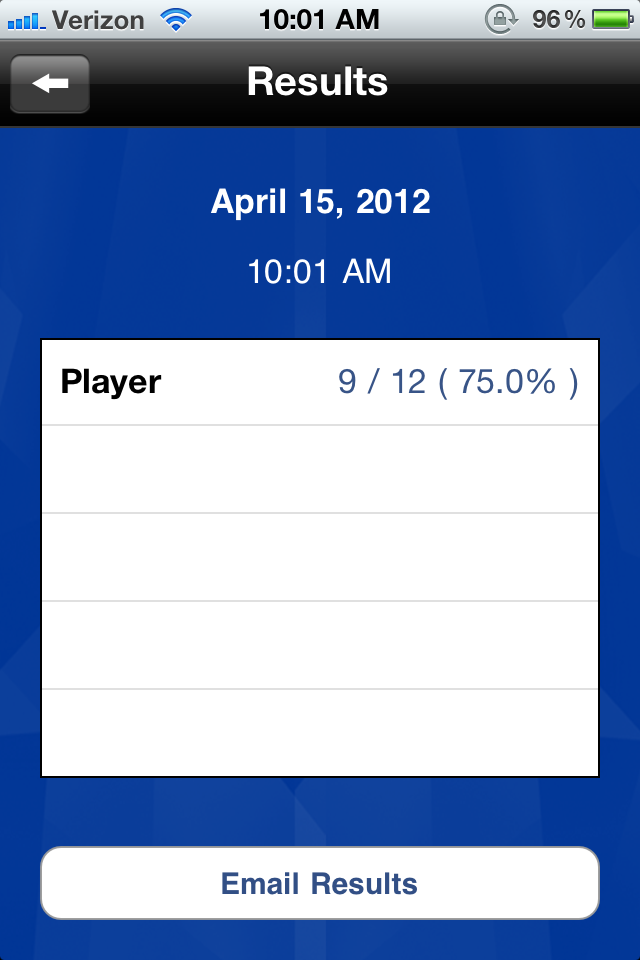
To start the task, you get one card at a time with the prompt "let's name things that...". The prompt is provided with audio, which I would recommend shutting off; just read the prompt yourself to make the task more suitable for adults. The screen for each prompt provides an illustration of the prompt (which, as expected, is on the childish side) and two buttons at the bottom: a red one and a green one, and each keeps count. The app keeps track of this count, and provides you with an overview of results at any point you choose to look at them from the menu (see "results" screen image below).

How we can use it in Tx: As noted above, this resource is targeted at schoolkids. As such, if using this app with an adult pt, I wouldn't bother showing the pt the screen or the the illustration, and instead just provide the verbal prompts myself (also remembering to shut the app's or my device's audio off) and use this application just for ideas of categories to ask about, and to easily count accuracy. The most straightforward use is to have pts name items within categories: I would ask for say, 3 items per category, and keep count using the buttons (green for each item that is appropriate, red for either an inappropriate item or a no-answer). Pretty much any simple reasoning/categorizing/naming task can be initiated with this list of categories, and I provide a couple such suggestions in the examples below.

I also believe that most tasks can be turned into memory tasks: when you are done with a specified number of cards, you can go back to the ones you covered and ask if the pt can remember the 3 (or however many) items they listed for each category.

Goals we can target in Tx with this app: Mostly reasoning and language goals such as organization and categorization (concrete and abstract), naming (divergent and convergent), and simple Y/N questions. And memory, always memory.

Some specific examples:

1. To target delayed memory goals, make this a recall of related items task: Deselect all but 5 cards. Go through all 5 asking the pt to name 3 items for each category, and letting them know that you'll ask later for these items again. When you've gone through all 5 cards (15 words), go back to the first one and see if pt can generate the same ones (from memory, or just from it being the same prompt; it's more functional than memorization of random lists). Use the scoring buttons to keep track of how many items were recalled (or re-generated to the same prompt).

2. Use the category prompts on the cards to generate your own list of items, say 3-5 items, and ask the pt to name the category. E.g., for the card that asks to name "things that are sweet" give the pt a list such as candy, ice cream, cookies, cake and sugar. Keep track of accuracy right on each card by selecting green if the pt got the category (or something close enough to it) and red if the pt wasn't able to name the category.

3. For a reasoning task, use the category suggestions on the cards to generate a list of items that belong to the specified category, and one that doesn't (e.g., for the "things that are sweet" category give candy, sugar, cake, ice cream, hamburger) and ask the pt to pick the "odd one out". Use the app to keep track of accuracy: Keep track of whether the pt was able to ID the odd item, and also whether they were able to explain why it didn't belong.

4. For a pt with simple Y/N question goals, use the prompts in this app is to generate such questions: Go through the categories and ask about the suitability of specific items, e.g., for the prompt "let's name things that are fruits" you can ask "is TV a fruit?" or "is watermelon a fruit?", etc. It's easy to come up with your own Y/N questions without this kind of app, but it's nice to have help generate them quickly AND keep track of accuracy.

It would surely be nice if this app allowed us to add or edit the cards... but even as is, it's not a bad little app to have on your phone (don't need a tablet for this as you won't be sharing the screen image with the pt) to help generate a few simple tasks quickly and keep track of accuracy.

Saturday, April 14, 2012

iPhone/iPad app Dragon Dictation (Free)

Dragon Dictation Free App
Dragon Dictation for iPhone/iPad/iPod-touch from iTunes

What it is: A rather well known application that translates speech to text. You speak into it, and it gives you a text version of what you said. I've noticed that sometimes it recognizes raised intonation as questions, but normally, I just say "question mark" or "comma" if I want those included in the text. It is quite good and amazingly accurate if you speak clearly with relatively little background noise. It lets you easily bring up a keyboard if anything needs to be corrected, and even has drop down choices for some common homophones (like if it wrote "do" and you select it, it may automatically suggest "due" instead). The application also makes up a database of names in your address-book to help recognize these in your speech and spell them right. You can then export the speech you dictated into a text message, an email, some of the social networking programs, or lets you copy it for pasting (like into a note or whatever else you choose).

How we can use it in Tx: In some ways, this application is a measure of clarity and intelligibility. Granted, the clarity and intelligibility for this app needs to be superior to what would be required in normal conversation, but that's not a bad thing for treatment purposes. A patient that is working on intelligibility, volume, or slowing down their speech can practice with this app. Whether the patient is working on word-, phrase- or sentence- level, they can practice saying a list of words or phrases to see how many of the dictated words were clear enough for the application to transcribe. Makes it pretty easy to quantify progress as well. It is also quite delightful how good this app is at transcribing speech, which helps build motivation. This is a good companion to the Bla | Bla | Bla sound reactive app which helps work on volume and timing (see my write-up of the Bla | Bla | Bla app from March 11, 2012).

Goals we can target in Tx with this app: Intelligibility, pacing (especially slowing speech down at sentence or conversation level), volume, phoneme accuracy... and well, most dysarthria related goals. My PD patients have found it challenging but fun.

Some specific examples:

1. For word-level intelligibility or phoneme accuracy goals, start with a list of common words that target the phonemes in question, or a range of phonemes. I suggest dividing your list up by syllable length (so have a list of monosyllabic words, disyllabic, and longer). Have pt pronounce each word, and quantify success by how many trials got transcribed accurately. You can have each word said 5 times, and find % that were transcribed correctly, or just do the full list with each word once, and take % of correct words from the whole list. The transcription errors produced by the app should also help highlight the problem areas, especially for monosyllabic words (if a word is longer and one or two phonemes are off target, the app may still figure out what word it is, but shorter words rely on less context and more accurate production to transcribe). As such, you could use this app for evaluation purposes (an informal look at what sounds may be toughest for a patient, if so indicated).

2. For sentence-level pacing goals, have pt read a sentence or paragraph into the app and check on % of the sentence that was correctly transcribed into text. The feedback to the patient is very quick, and it may be helpful to see a visual of just how much of one's speech is misunderstood due to fast speaking. Putting pauses between words will up accuracy very quickly, and that would also be a good visual for the patient.

Well, you get the picture. Patient speaks into the app, the app returns with a text of what it was able to transcribe from the pt's speech. Accuracy is easily quantifiable, and suggestions can be made to improve the accuracy. Strategies are discussed, practiced, and pt tries again. Hopefully, accuracy goes up.

Sunday, April 8, 2012

iPad/iPhone app: Success Story

Success Story App
Success Story from iTunes (free for a while)

What it is: A FUN (and kind of addicting) time management game. These types of games usually involve playing a role of a cook or waiter purveyor of some sort of goods or services, and your task is to complete your customers' requests (e.g., cook specific dishes to order, or arrange ingredients in a sequence) to make a specified profit and move up to next level. As requests become a little more intricate, and customers can get pissy if you don't deliver on time and walk away, you have to prioritize the steps to complete your tasks. That's the "time management" aspect of these games. I have long considered these types of games optimal for Tx for both adults and children, but the problem is that these games are often overly complex with too many steps to negotiate in too little time. My motto, which I keep repeating here, is that if it goes from fun to frustrating too fast, it's not useful as a Tx tool.

Screen image towards end of 1st level
"Success Story" is, finally, a time management game that takes it easy; while there is a timed aspect to this game, the complexity of the tasks is built up slowly, and I feel that a large number of levels (way more than needed for Tx) are usable. In this game you are making sandwiches to order; there is a grid of 11 plates where single ingredients are presented for a time, although not all the plates are full especially in the first levels so it's easier to choose (see screen image). If an ingredient is not used after a while the plate empties and is replace with another ingredient. Customers come up to the counter (it starts with one at a time, then two, and a maximum of 3 customers at higher levels) and order sandwiches (each customer needs 3 identical sandwiches). All levels start out with one ingredient sandwiches (e.g., hamburger, or lettuce or bacon). The "order" is shown as an image so you can see what is in the requested sandwich. You click on the ingredient (e.g., hamburger) once per sandwich (so x3 for an order) and then a few desserts pop up: each customer finishes a meal with desserts. The desserts you just click on, you needn't check what the customer asked for. Complexity is slightly increased with additional ingredients (two items, but in sequence: hamburger and lettuce, or lettuce and pickles; then three items, and more) and at higher levels there is less time as customers get impatient quicker, the ingredient plates time out faster, and of course there's more ingredients per sandwich. There's a few other details like powerups and between-level mini games, some of which are memory games. Let me tell you, it may sound complicated when you read about it, but it is really fun and addicting. And the initial levels are really easy to get through as you only need to serve a portion of your customers to move up a level.

How we can use it in Tx: Let a pt play this game, going through the first 3-5 levels where at most sandwiches include 3-ingredients. This game will work on an iPhone/iPod touch, but I'd recommend only using it on iPad for patients. The tutorial section is actually very useful, and is the virtual version of full modeling of the task. If a patient can get even one customer served (shouldn't be a problem in the first few levels no matter how long one takes) it's considered successful, and they can replay the same level instead of moving to the next one. You can quantify progress by how many ingredients were picked correctly, how few were picked incorrectly (incorrect ingredients require an extra step to remove from an order), or how many customers were served.

Goals we can target in Tx with this app: Direction following (this game involves 1-, 2-, 3-, and at later levels more, step commands). The game directions do get a little easier to follow as one gets used to the game, and the difficulty is increased very slowly so there's plenty of time to enjoy the game before it gets frustrating (if ever). Problem solving in the form of prioritizing (do you finish one customer's dessert order or take care of another customer's sandwich order first so they don't leave, do you grab the power-ups or finish an order, etc.), and as such there's sequencing of steps as well as sequencing of ingredients (if a customer wants lettuce topped by pickles, they will not take pickles with lettuce on top). Scanning goals can be addressed as well since there is a grid of 11 ingredients that need to be scanned to select the required ones, and during dessert time, the player has to distinguish all the dessert ingredients in the grid and grab them. Memory goals are also addressed with some of the mini-games between levels, where the ingredient grid is turned into a tiny memory game of matching two ingredients at a time. Attention and focus can also be indirectly addressed. Categorization skills are accommodated in the part of the game where desserts are sent to customers, since this part of the step involves scanning the grid of ingredients for any dessert items (rather than looking at the specific order).

Specific examples:

1. For scanning or visual neglect write a goal to use a certain % of the ingredients on the neglected side during a level. So for example, if one is making a bacon and tomato sandwich, the 11-ingredient grid will have plates of bacon in random locations, and a player without visual neglect would normally not favor either side of the grid; so ask your pt to specifically grab available ingredients from the side they tend to neglect, and then quantify what % of bacon plates were selected from that side.

2. For memory goals, at a level where more than one ingredient is needed per sandwich, quantify how much cuing was necessary for the 2nd and 3rd sandwich for each order. That is, when a customer orders a burger, cheese, tomato sandwich, you have to make 3 of these to complete the order. The first one requires looking at the order image for each ingredient, but the next two sandwiches should be built from memory or verbal repetition. As an aside, completing these tasks is a great way to contextually practice holding an increasingly larger list of (related) items in memory using visual and verbal cues.

3. Brain-training: this is also a great app in general for exercising one's memory, reaction time, attention and focus.

And hey, how appropriate is the name of this app for Tx purposes?!

Monday, April 2, 2012

Android app: Word Match

Word Match
Word Match (Free) from Barnes & Noble

What it is: A word association game for the Nook, very similar to the Word to Word app (see blog entry from 3/30/12), but free from the Barnes & Noble store. This version of the word association game contains 3 categories: Art, Food n Beverage, and Health. Like with Word-to-word there are two columns of words that have to be matched into pairs with more advanced levels including more than one possible match for each word, but only one configuration that allows for all the words to be paired. There is a timer that keeps track of how long it took, but there is no time limit on how long one CAN take. Timers are the one thing that can make a good game useless as a Tx task, taking it from fun to frustrating very quickly.

How we can use it in Tx: Since this is the same basic activity as Word-to-Word, I won't bother repeating myself. How to use it in Tx, along with specific examples can be found in my Word-to-Word entry from 3/30/12.

Goals we can target in Tx with this app: Language goals, word-finding, problem solving goals, and STM

Sunday, March 11, 2012

iPhone app: Appzilla (90 apps in 1), free app

Appzilla free app
Appzilla! 90 apps in 1 in iTunes

What it is: A utility app with a little bit of everything... it's almost easier to sum up what it isn't. There are 90 mini apps in Appzilla, each does just one thing, and don't expect all of them to be useful. But some of them are rather good, which is amazing for a free app. Herein I will comment on the mini-apps that may be useful for ST, but to be sure there's quite a few utilities included that are useful to anyone, just not relevant to therapy (like area code look-up, currency converter, and battery life gauge). Since there are so many of these utilities, and most have limited uses, the format of this post will be a little different than usual. I briefly sum up the basic uses and goals that can be addressed by each utility rather than have a separate heading for goals and treatment suggestions as I usually do. But I'll try to give examples, especially for those utilities that seem far fetched as useful :-). Expect to constantly be amazed that this collection of utilities is free!

List of utilities included in Appzilla that may be useful for Speech Therapy:

Note: Some of these utils that gather information from the internet (like dictionary and news related ones) will need a server connection to work (if you use your iPhone you're fine, if you use iPod-touch or iPad, you'll need to be connected to wifi). Most of the utils don't need it though. I'll try to note which do below.

1. Bleep button (no, really): Just a button that you touch and it bleeps. Can be useful as part of a host of activities that we already do. For example, a memory/focus/attention task where a pt has to react to a specific suit or number or card in a deck: this bleep could be used as the manifestation of said reaction (i.e., pt presses the bleep button every time they see a red card or a spade as the cards are drawn one at a time). Another example is for a sorting/categorizing task, where the pt shuffles through cards with common pictures on them, and presses "bleep" for pictures that belong to certain categories (I like to have household items in pictures, and ask the pt to name each item--working on word-finding--and also pick out the ones that belong in a particular room in the house, say the kitchen).

2. Buzzer: Basically the same as the bleep one, but with a red button for buzzer sound and a green one with a ding. I wouldn't use them for their seemingly intended purpose (red for wrong and green for right) but a variation of the tasks I mention above could work: if a pt is looking for red cards in a deck, press the red buzzer for black and the green ding for red. This would be an easier task than just pressing one "bleep" button for red because having to respond to each card would make it easier to remember to respond... so it can be implemented for the simpler versions of the same goals.

3. Coin flip: I haven't thought of anything yet, but I *know* there's something I can do with it in Tx.

4. Cook timer: This thing is awesome: it has a picture of 4 electric stove burners and 2 oven doors. You activate each and a timer starts for that cooker. I love time-management games (you know, where you play the cook and customers ask for specific foods and you have to put them together in a certain order, taking care of all the customers... like the free and super fun iPad game "Order up" or the iPhone game "Bonnie's Brunch") and I think they would be useful for a host of cogn-comm goals, but they tend to be difficult and complicated. Using this utility is not as fun, but it can be a lot less stressful: the task would be to pretend you're cooking a meal and have to cook 2, 3 or 4 different things that each take different times to prep and cook. It would be great to have hard copies of pictures of foods... so for example you have to get the buns ready then you can put the hamburger on the stove and cook for 3 minutes, and in the meantime get the pasta ready and cook that for 4. That's a lot of directions to sort through (problem-solving, sequencing, direction following, reasoning) and would require some extra prep of materials, but once ready it can be adjusted to a lot of goals and a lot of deficit levels (make it simpler, make it more complex).

5. VU meter: Amazing that it is part of a free package! Visual feedback to sound levels... what can't you do with it in speech therapy?! For specific ideas see one of my previous blog entries, about the Bla | Bla | Bla app.

6. Dice roll: A few weeks ago I bought a game on Amazon called "math dice" (actually, I bought the Math Dice Jr. version, linked here, because it came with bigger dice and a carrying pouch). In this game you roll the 12-sided target die to get a number, and then roll the other 5 dice and try to reach the target number using addition and subtraction only; the more dice you use in your calculation to reach the target number, the more spaces you get to move on the progress board. I've used it in Tx for memory (to recall rules), problem-solving, reasoning, sequencing and more specific math-related goals if called for. If I don't have the game with me, I can make a virtual version of it using this utility. And loads of other game-like tasks could use this utility if you don't have dice available (I don't know about you, but my phone is always with me while my lucky dice I don't tend to bring to work...).

7. Dictionary: There's always a reason to have one around... I believe this one needs a server connection to function.

8. Drum pad: I don't know what I'm gonna do with it yet, but I'm sure it'll come in handy... eventually.

9. Grill timer: Variation of the cook timer but with only 4 burners (and link to cooking times for various foods). Could be used similarly to what I wrote in #4 above.

10. Hearing test: You'd think it's useful (if not particularly clinical) but it's mostly for high frequency sounds. Still, it's relevant to our field so I figured I'd mention it.

11. Facts, GoogNews, Horoscope, Hot Topics, Lyrics: These are examples of included utils that can be used to generate conversation topics if needed. Sometimes you just need free-style open-ended conversation (to address anything from pragmatics to focus to memory to voice and fluency). I think all of these require a server connections to function.

12. Match it: 4 x 5 card memory game with a choice of themes for the pictures. It keeps track of time, but doesn't limit players in how much time they can use, which makes it much more accessible for memory-impaired pts. It's super cute, and likely the only memory game you'd need.

13. Metronome: I can't believe there's a free one included! I was looking for one for an SLP friend a few weeks ago and couldn't find a good free one... and here it is in this generous collection of utilities. Its uses are obvious for pacing and fluency.

14. Reaction time: A simple game where you have to tap the screen as fast as you can when the light turns to green (options are green, yellow and red). I don't know if I'd use it all that much, but I can see it coming in handy at some point... Even if just as a memory/focus/attention task (goal for pt to remember to tap the screen when the green light comes on).

15. Rhymes: Give it a word and it'll look up rhymes (needs network connection or wifi to function). There's plenty that can be done with this... I used it with a pt when we were composing a simple poem together (honestly, it was a functional task and very appropriate for that pt... but this post is already getting long so you'll just have to trust me on that hahaha).

16. Tally: You can keep track of up to 4 tallies, where you just touch the screen for each tally to add to it. You can use it to keep track of just about anything; for example, if you want to keep track of % correct items on a task, you can select 2 items to score, keep track of correct ones on the first, and of all items on the second, and at the end see what percentage the first is from the second count. When I do problem solving scenarios, I keep track of % problems ID'ed and % solutions provided; with this tool I'd choose 3 tallies to keep track of, make the first ID, the 2nd solving, and the 3rd total scenarios. At the end of the task I'd have a very quick idea of task accuracy. If you're doing a stuttering eval you can keep track of disfluencies; pretty much anything, this tool will let you count it faster than keeping track on paper, and without alerting the pt to what you're keeping track of (or how many they got right or wrong). Very simple and efficient.

17. Translator: English/Spanish only; may need server connection to function.

18. Trip Wire: Sound activated where you select the trigger threshold, and it sounds a buzzer if there is sound louder than the threshold. Yet another visual feedback to sound tool that can be used for pts with voice or fluency goals.